Solutions
Security & Maintenance
Security is part of how we build, not an add-on. For existing WordPress sites we offer a fixed-price, one-time security patch, and for everything we look after, ongoing updates, backups and monitoring.
Overview
Security built into everything we deliver, plus hardening, updates and backups for the sites you already have.
Security is part of how we build, not an add-on. Every system we deliver starts with hardened configuration, limited access and encrypted connections, and we keep it current after launch.
For websites you already have, we offer a fixed-price, one-time WordPress security patch and ongoing care: updates, backups, malware scans, and a response when something looks wrong. We started as a security company, and that discipline runs through everything we build.
What’s included
One-time security patch
An existing WordPress site updated, reviewed and locked down once, with a written report of what we changed.
Updates and monitoring
Core, plugin and theme updates, monthly malware scans, login monitoring, and a response when an alert fires.
Backups
Automated backups of your site and data, stored off-site and checked for completeness.
Secure configuration
HTTPS, security headers, file permissions and access control set correctly and kept that way.
Account and sign-in security
Strong sign-in, fewer administrator accounts, and access removed when people leave.
Security consulting
Vulnerability assessments and risk reviews when you are planning a change or recovering from one.
One-time WordPress security patch
A fixed-scope, one-time security patch for an existing WordPress site: we back it up, bring WordPress, its plugins and its theme up to date, then review it and lock it down against the weak points below. Most sites are done within 24 to 48 hours of access; if we find something that needs longer, we tell you before we continue. You receive a report of every change. It is preventative: a site that is already compromised needs cleaning first, which we can coordinate.
$100 one time
Usernames hidden
The REST API and author pages stop listing account names, which make password attacks easier.
Security headers
Headers that defend against cross-site scripting, clickjacking and data leaks.
XML-RPC switched off
Closes a common route for mass password guessing and abuse.
No directory listing
Visitors cannot browse your site’s file structure.
No default “admin”
The most guessed account name is replaced.
Firewall
A web application firewall in front of known attacks and bots.
Versions hidden
WordPress, plugin and PHP versions stop advertising which known flaws might apply.
Updates and clean-up
Outdated and unused themes and plugins updated or removed.
HTTPS everywhere
Every page and form served over an encrypted connection.
File permissions
Files and folders set so scripts cannot be uploaded or core files changed.
Login protection
The sign-in page protected against repeated guessing.
PHP version
An end-of-life PHP version flagged, with an upgrade path.
Ongoing care
Every site we build and host carries Care. It also looks after an existing WordPress site once it has been hardened.
Care
For every site we host
$50 per month
- Hosting, or care of a site on your own hosting
- WordPress, plugin and theme updates
- Backups
- Malware scans and login monitoring
- A response when an alert fires
- 30 minutes of edits a month
Care Plus
For sites that change often
$100 per month
- Everything in Care
- An hour of changes a month
- Priority when something needs fixing
- Security fixes on sites we built at no charge
Signs a website has been compromised
A compromised site can expose you to legal, financial and reputational damage, and the owner is responsible for removing what attackers put there. Look out for:
- Links you did not add, often to gambling or other illicit sites, hidden in the footer or old posts
- “Your connection isn’t private” warnings, which can mean an expired certificate or something worse
- Redirects to scam pages, fake virus warnings or downloads
- Administrator accounts or content nobody on your team created
- Pop-ups that imitate security alerts from Microsoft or your browser
- A sudden slowdown of the site
If you see one: note what you found and where, contact your host, and get help cleaning the site before you harden it.
Backups that restore
A backup is only worth something if it restores. We set up automated, off-site backups of your website and business files, with the storage provider you choose and the account in your company’s name, and we verify that backups complete and their data is intact.
Storage is billed by your provider directly, so you are never locked in to us to reach your own data.
Responsible disclosure
We also look for weaknesses in the open, and report them privately. In June 2025 we found a live WordPress site serving its debug log to anyone who asked for it, a file of more than 50 GB, on a PHP version that had reached end of life in 2022.
We confirmed the finding without exploiting it, using only non-intrusive checks, and sent the owner clear recommendations: switch debug logging off in production, remove the file, upgrade PHP and stop advertising its version. The site has since been patched.
How it works
From the first call to ongoing support
Review
What is installed, who has access, and what is exposed to the internet.
Harden
Fixes applied and documented, with a report you keep.
Maintain
Updates, scans and backups on a schedule.
Respond
Alerts investigated, and a plan ready for when something goes wrong.
Everything we take on
- WordPress security hardening
- Vulnerability remediation
- Plugin and platform updates
- Secure configuration and access control
- Backups
- HTTPS and security headers
- Account and sign-in security
- Security-focused consulting
Related work
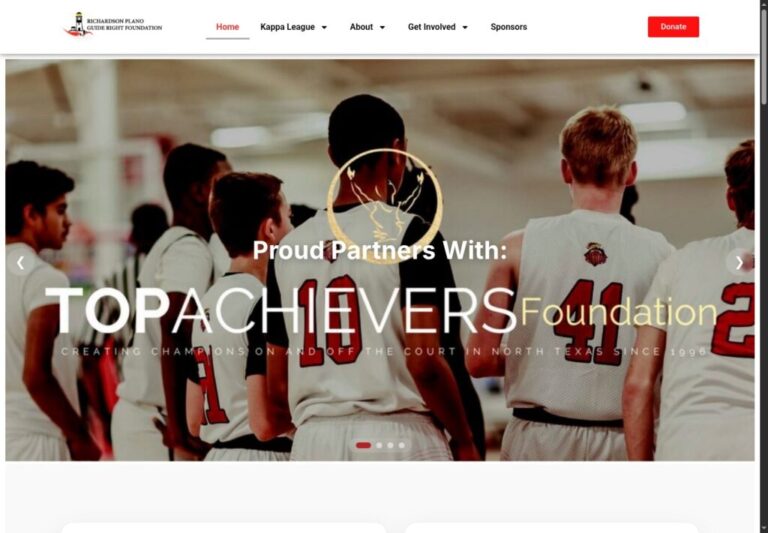
Richardson Plano Guide Right Foundation
A website for a Richardson 501(c)(3) that guides students from middle school through college: the Kappa League, scholarships, volunteering, a calendar and donations.
Key features
From the blog
Further reading
Why Bedford’s Professional Firms Need Continuous IT Monitoring
The case for continuous IT monitoring at Bedford’s professional firms: what it watches, what downtime costs and how it supports compliance.

Vendor Access Risks: How Euless Businesses Can Secure Their Supply Chain
How vendor and third-party access puts Euless businesses at risk, and how access controls, MFA and vendor policies secure the supply chain.

The Top Cyber Threats Facing Lake Highlands Businesses in 2026
Seven cyber threats facing Lake Highlands businesses, from AI-written phishing and ransomware to weak passwords, and how to reduce each one.
Questions
What does WordPress hardening fix?
Exposed usernames, missing security headers, XML-RPC, directory browsing, a default “admin” account, outdated or unused plugins and themes, unencrypted pages, weak file permissions, an unprotected login page, and version numbers that advertise known flaws. A firewall is added in front of the site.
How long does hardening take?
Most sites are done within 24 to 48 hours of us getting access. If we find red flags that need more time, we tell you first. You receive a report of everything we changed.
Is hardening the same as malware removal?
No. Hardening is preventative. A site that is already compromised needs cleaning first; we can coordinate that, then harden it so it stays clean.
What is Care, and why is it required?
Care keeps a site current and safe after launch: hosting, or care of a site on your own hosting; WordPress, plugin and theme updates; backups; malware scans and login monitoring; a response when an alert fires; and 30 minutes of edits a month. Care is $50 per month. We require it on the sites we host because a site that nobody updates is the easiest one to break into. Care Plus, at $100 per month, adds an hour of changes a month and priority when something needs fixing.
Do you host websites?
Yes, as part of Care. If you would rather keep your own hosting, Care looks after the site there instead: updates, backups and monitoring on your host.
How much does WordPress hardening cost?
Hardening one existing WordPress site is $100: a fixed-scope review and lockdown. Most sites are done within 24 to 48 hours of us getting access, and you get a report of every change. Care, at $50 per month, keeps the site that way afterwards.
What should I do if my website has been hacked?
Change the passwords for your hosting, WordPress and email, keep a copy of the site as it is now, and do not delete files yet; then call us. A compromised site needs cleaning first. We can coordinate that, then harden the site so it stays clean.
Next step
Tell us what you are building
A short conversation is enough to tell whether we are the right fit, and what it would take.